How to Create an Alarm Certificate
- Download the attached Blank Certificate
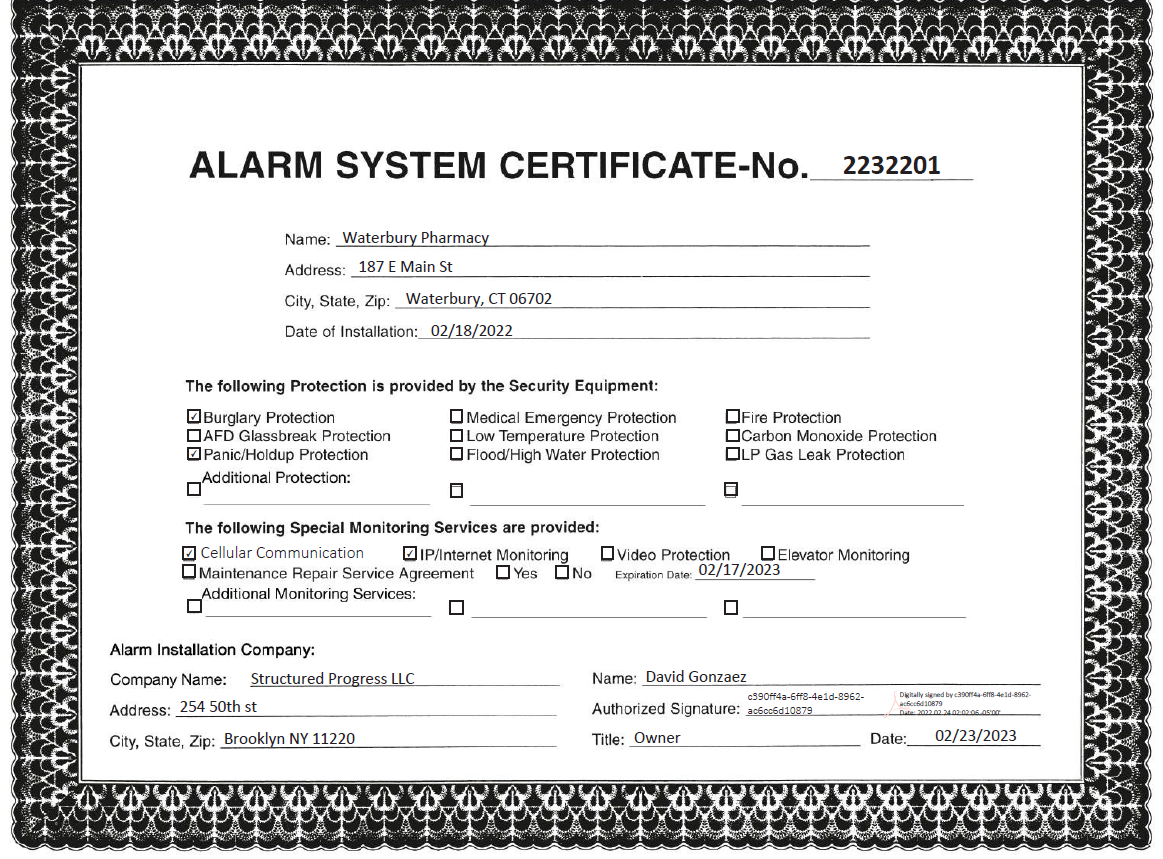
- Enter a Certificate number. The format will be the "Date + Certificate Number" for example if today is 2/24/22, and it is the 1st certificate you have created today, the certificate number will be 2242201. (See the example Below. It was created on 2-23-22 )
- Fill in the Customer's Information, and date of installation
- Select the protection provided. Most will have Burglary and Panic Protection
- Enter the Monitoring Services. Most will have Cellular and IP
- Certificate will expire after 1 Year
- Enter the company name, and sign
Example completed Certificate: