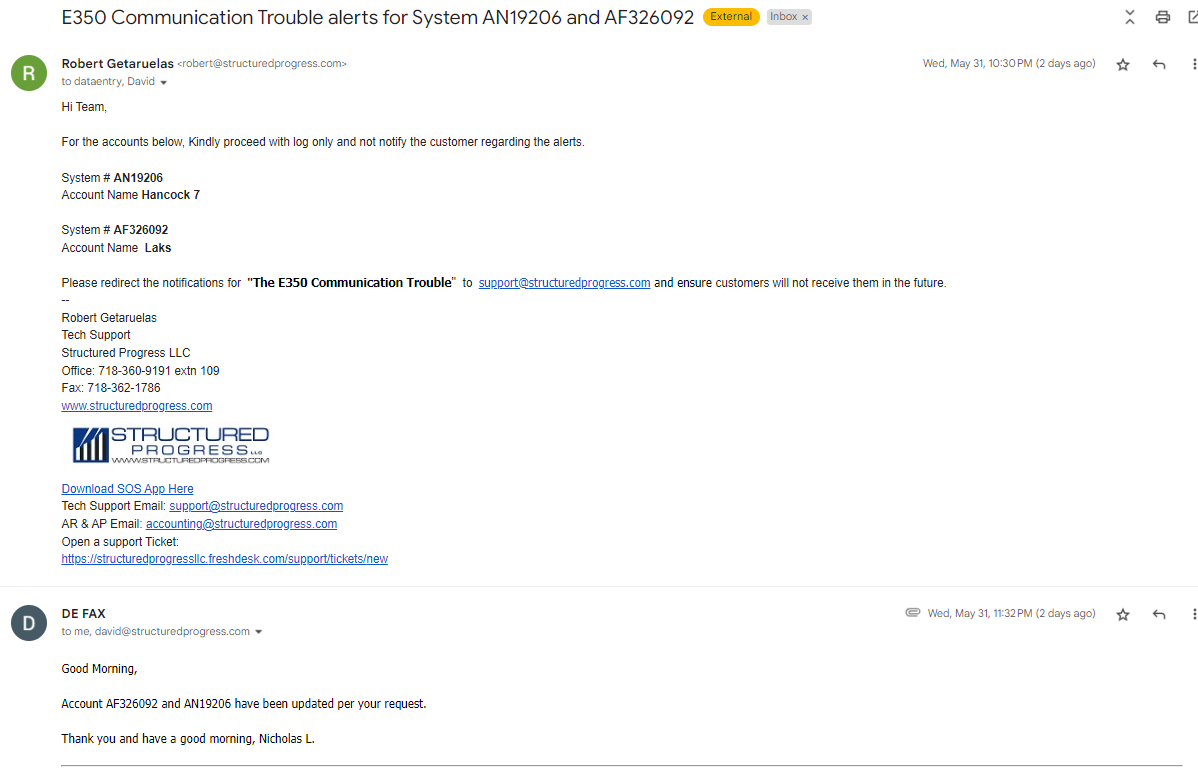
If user reports getting alerts about Communication Trouble error and would opt not to receive multiple alerts.
Confirm with the user the error message they are getting.
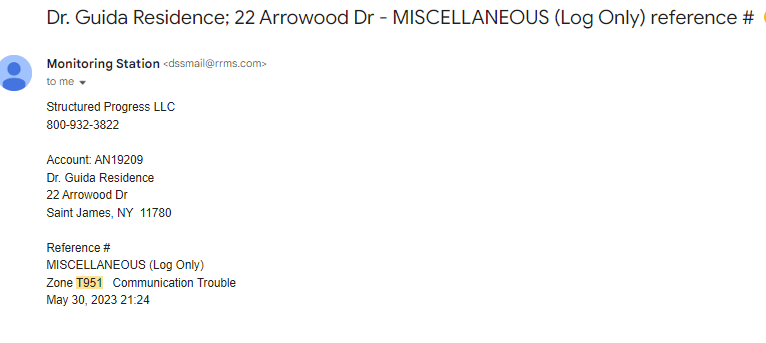
Example below shows an automated alert received from Monitoring Station with an error code.
Reference #
MISCELLANEOUS (Log Only)
Zone T951 Communication Trouble
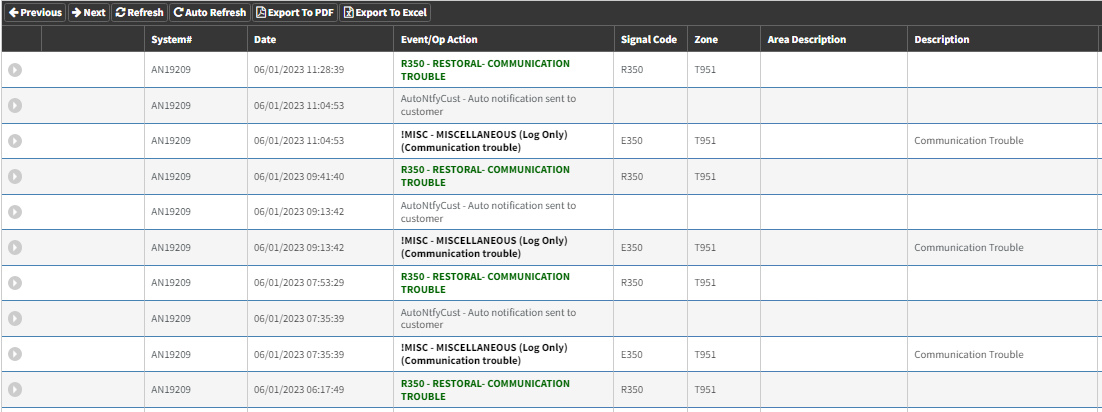
Check the History tab in Rapid Response and identify the frequency of the alerts received pertaining to the error code.
Based on the screenshot below, Signal Code R350, Zone T951 is frequently appearing throughout the day.
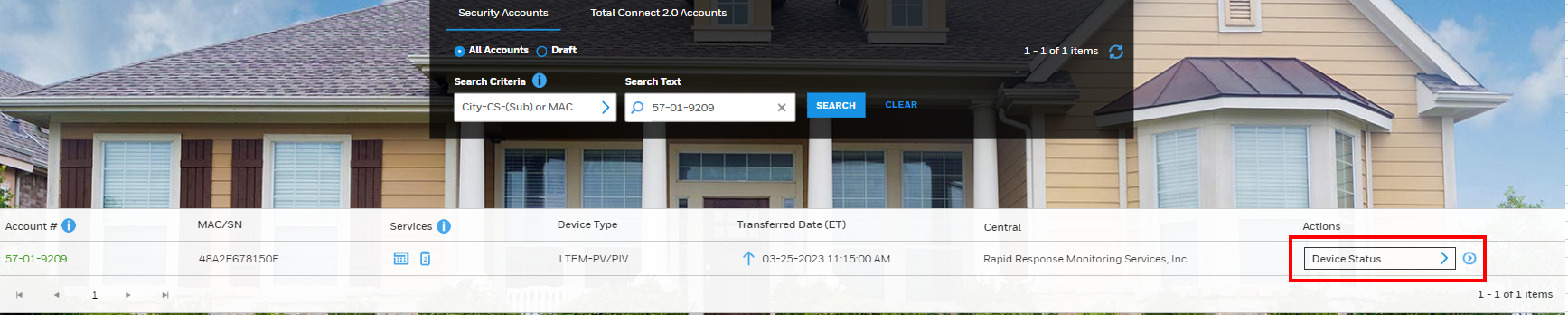
Also check in Alarmnet for the Device status.
Go to the QoS Data section

Bases on the Screenshot above, The LTE Signal Quality dropped causing disruption to the connection.
Refer to the signal codes and Definition below.
(951) Ethernet Communication Trouble
(952) GSM Communication Trouble
Advise to customer:
Ensure to Inform the following to the user.
1. Make sure to explain to them there Cellular Service went down that caused connection disruption
2. This may have been caused by intermittent signal where the communicator is located. Internet Connection fail over.
3. System is Active. However, Nothing can be done remotely.
4. What we can do is to
a.) fix internet issue if they are connected through LAN connection.
b.) Send a technician to relocate the communicator to a higher area where cellular strength is optimal.
5. Send email to Monitoring company to divert the alerts from the customer and have it send to our support email.
6. Confirm with David as to when we can schedule a technician to relocate the communicator where cellular signal is good.
Email Example:
Send email to: dataentry@rrms.com, CC David
Subject Line: E350 Communication Trouble alerts for System AN19206 and AF326092
Hi Team,
For the accounts below, Kindly proceed with log only and not notify the customer regarding the alerts.
System # AN19206
Account Name Hancock 7
System # AF326092
Account Name Laks