
Overview
This article explains how to replace the battery in a Honeywell/Resideo PROSIXCT door/window contact sensor.
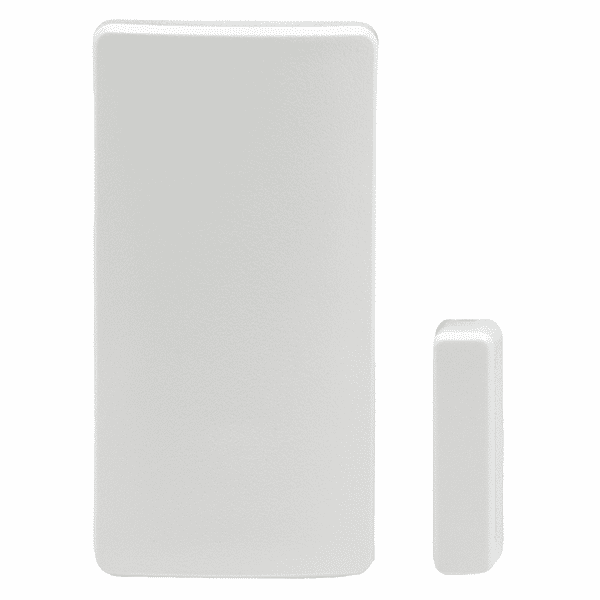
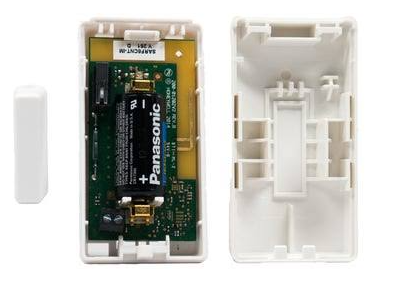
Required Materials
- One (1) CR123A 3V lithium battery
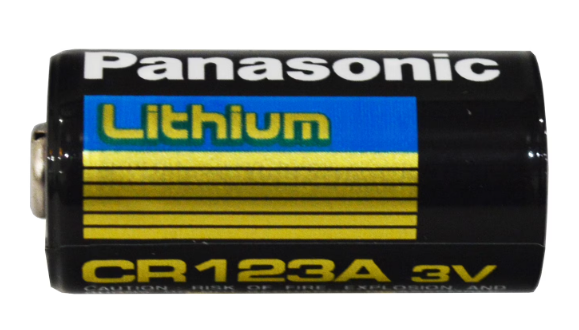
- Small flathead screwdriver (optional)
Where to Purchase the Battery
A CR123A 3V lithium battery is commonly available at:
- Hardware stores
- Home improvement stores
- Electronics retailers
- Online marketplaces such as Amazon
Procedure
- Locate the PROSIXCT sensor on the door or window.
- Press the release tab at the bottom of the sensor and slide it off the mounting bracket.
- Separate the front and back halves of the sensor to access the battery compartment.
- Remove the old battery.
- Wait approximately 10 seconds.
- Insert a new CR123A 3V lithium battery, ensuring the polarity (+/-) matches the markings inside the sensor.
- Reassemble the sensor and slide it back onto the mounting bracket until it clicks into place.
- Arm the alarm system, then disarm it using a valid user code.
Verification
- Wait a few minutes for the panel to update the sensor status.
- Verify that the low battery trouble has cleared.
- If the trouble remains, confirm that:
- The battery is installed with the correct polarity.
- The sensor housing is fully closed.
- The sensor is properly seated on its mounting bracket.
Notes
- The PROSIXCT uses one (1) CR123A 3V lithium battery.
- A low battery condition may not clear immediately after replacement. Allow several minutes for the panel to receive the updated battery status.
- If the low battery condition persists after replacing the battery and verifying installation, further troubleshooting may be required.
For reference, see the video below.